
Appearance
Parking Session Management
Managers can easily keep track of both ongoing and past parking sessions, from the Parking Sessions page.
In-Progress Sessions
These are active parking sessions happening right now. Managers can see the following details:
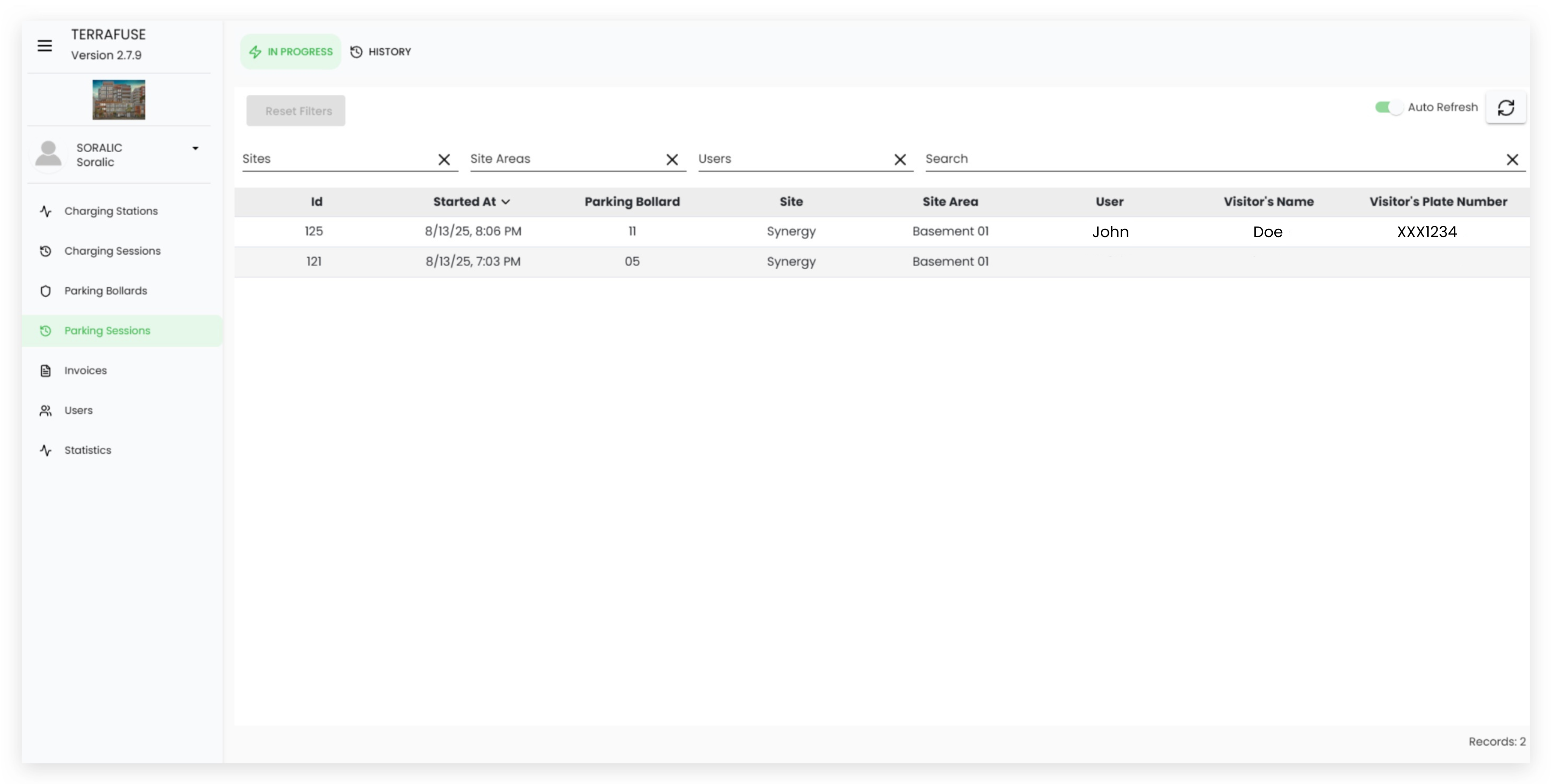
| Field Name | Description |
|---|---|
| ID | Unique number assigned to the parking session. |
| Started At | The date and time the session began. |
| Parking Bollard | The bollard being used for the session. |
| Site | The building or location where the parking is taking place. |
| Site Area | The specific area within the site where the parking space is located. |
| User | The registered account owner who booked the parking. |
| Visitor’s Name | The name of the visitor using the parking space. |
| Visitor’s Plate Number | The vehicle registration plate of the visitor’s car. |
Past Sessions (History)
These are completed parking sessions. Managers can see the following details:
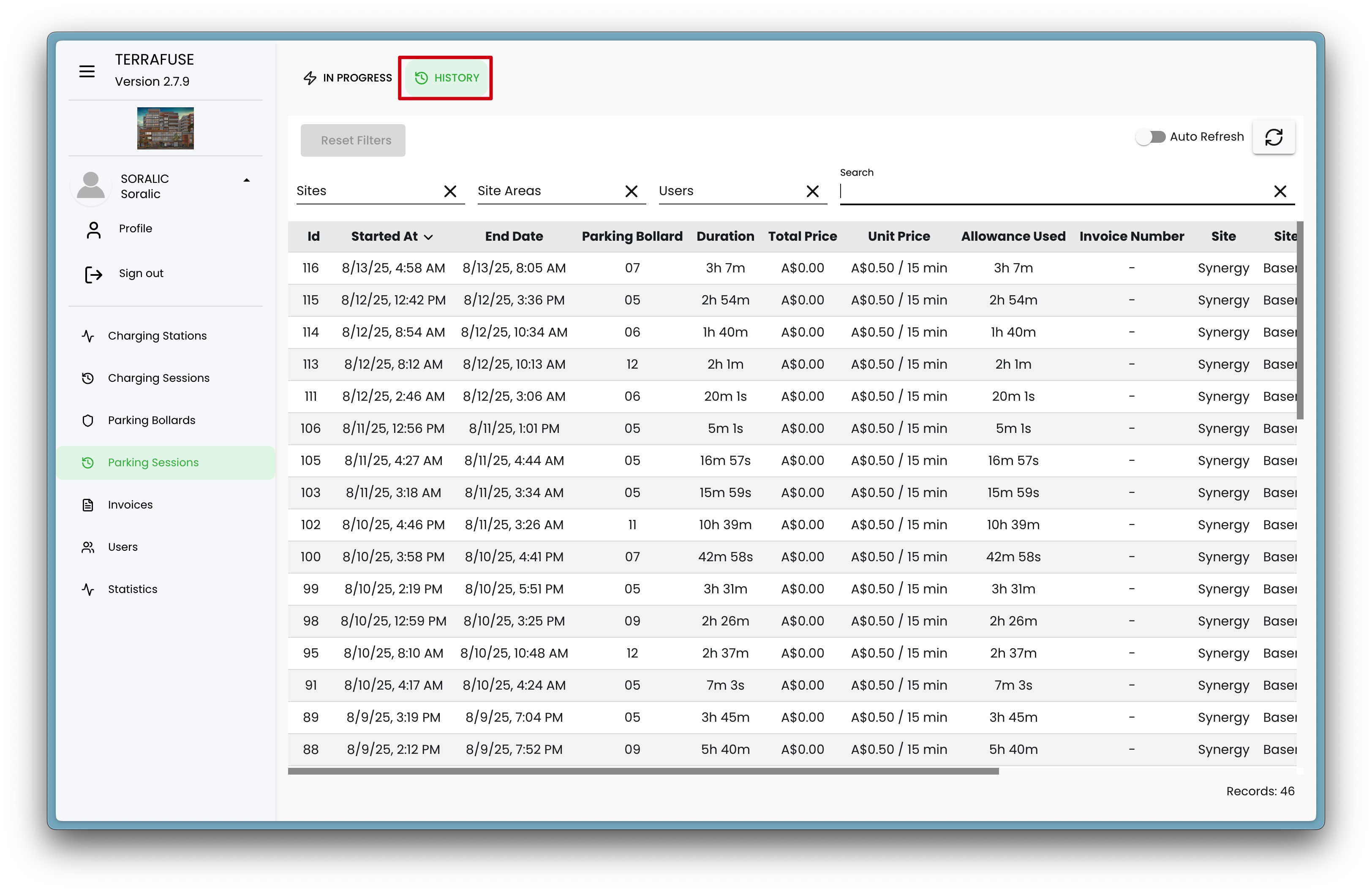
| Field Name | Description |
|---|---|
| ID | Unique number assigned to the parking session. |
| Started At | The date and time the session began. |
| End Date | The date and time the session ended. |
| Parking Bollard | The bollard that was used for the session. |
| Duration | Total time the parking space was used. |
| Total Price | The total amount charged for the session. |
| Unit Price | The cost per unit of additional time taken when allowance exceeded |
| Allowance Used | Any free or allocated parking time that was applied. |
| Invoice Number | The reference number for the billing invoice. |
| Site | The building or location where the parking took place. |
| Site Area | The specific area within the site where the parking space was located. |
| User | The registered account owner who booked the parking. |
| Visitor’s Name | The name of the visitor who used the parking space. |
| Visitor’s Plate Number | The vehicle registration plate of the visitor’s car. |
💡 Tip: Use the "In-Progress" section to monitor ongoing usage, and the "History" section to review past activity and billing details.