
Appearance
Setting Default Parking Allowance
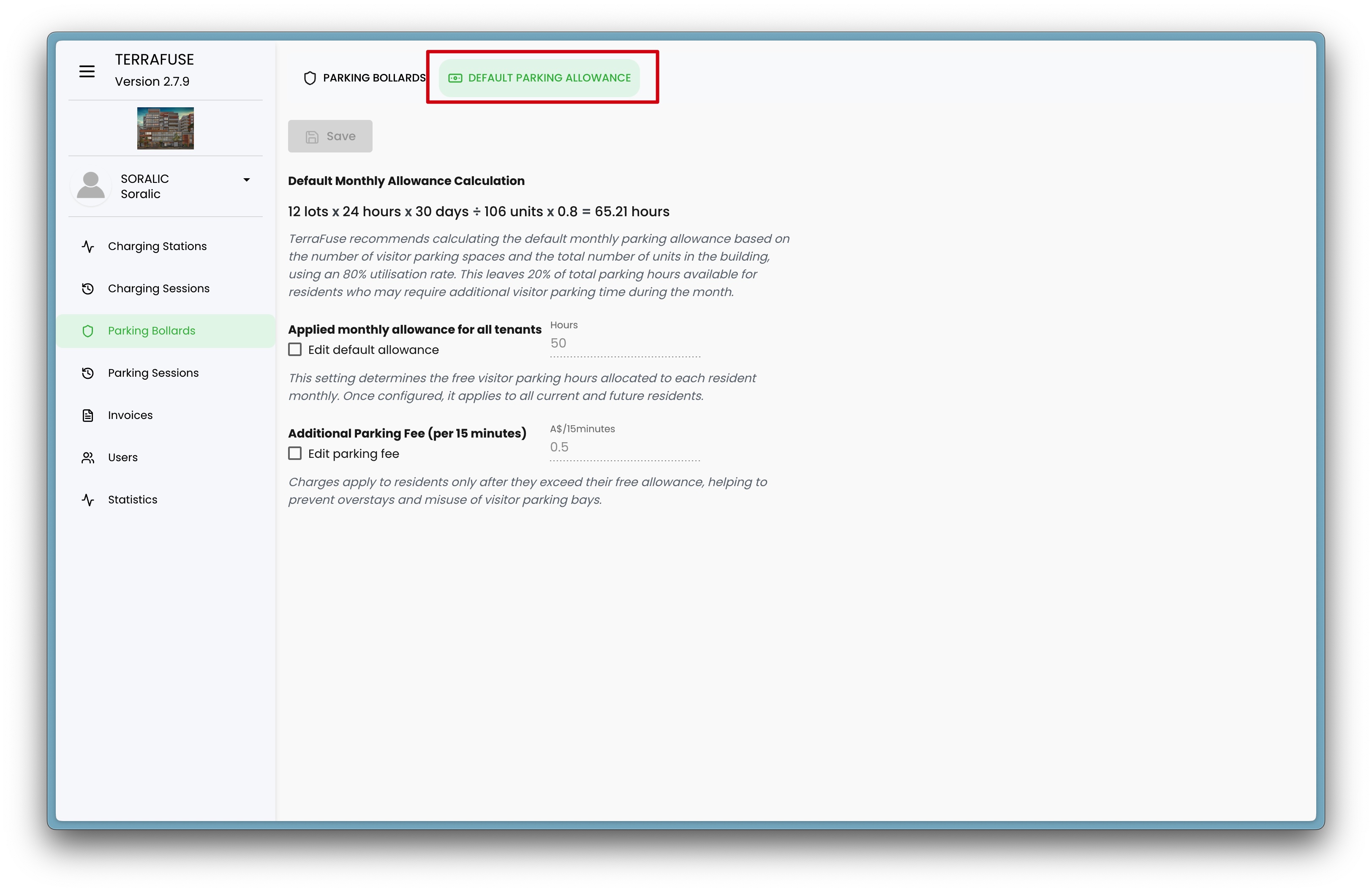
Managers can configure the default visitor parking allowance by navigating to Parking Bollards in the side menu and selecting the Default Allowance tab from the top navigation (Figure 5.3.1).
Default Allowance Formula
The system calculates the default monthly allowance using the following formula (Figure 5.3.2):
(Number of Lots × 24 hours × 30 days) ÷ 100 units × 0.8 = Total Allowance (in hours)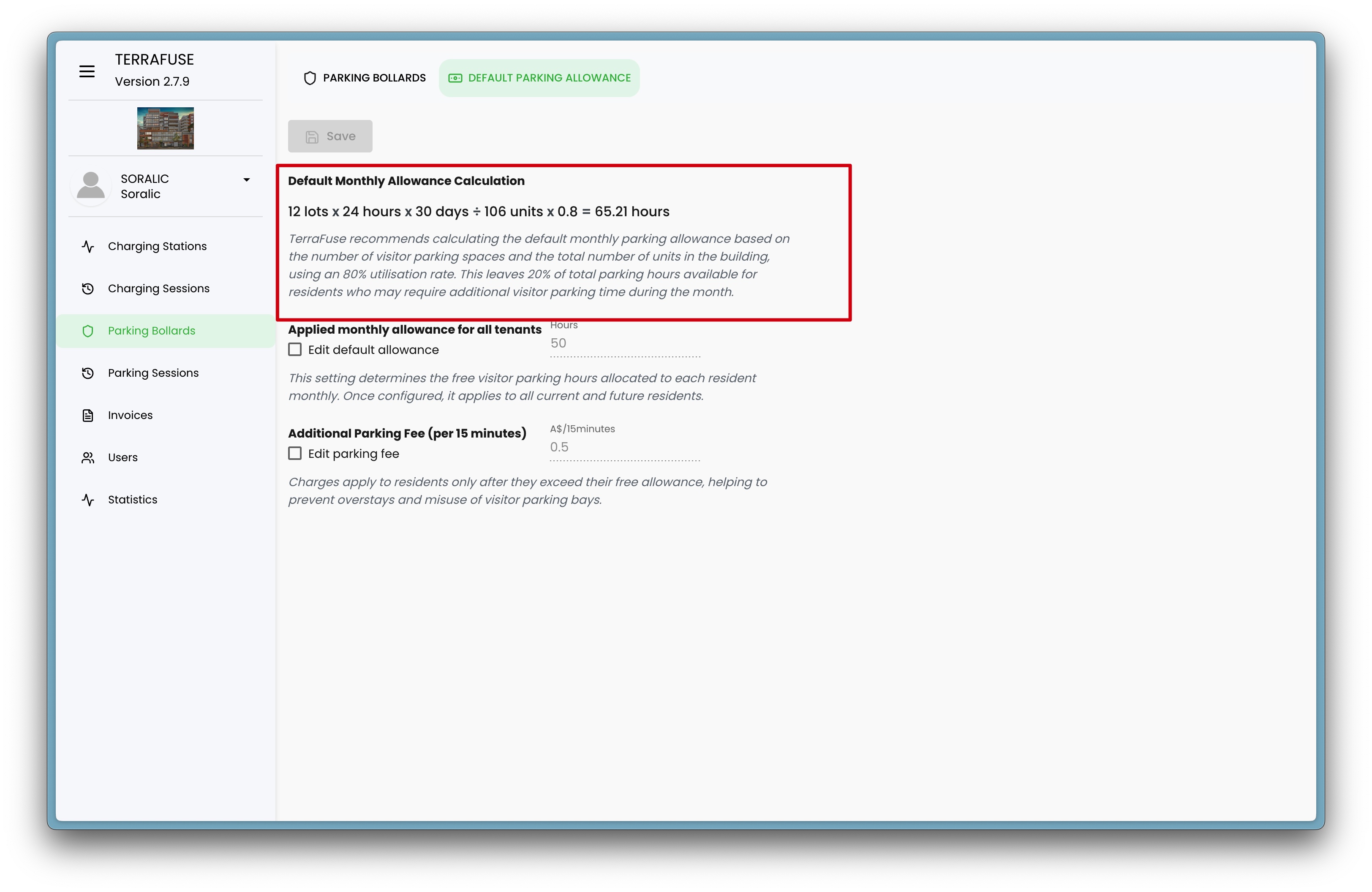
- Number of Lots: Total number of parking lots available for visitors
- 0.8: Represents 80% utilization to ensure fair access
Note
TerraFuse recommends calculating the default monthly parking allowance based on the number of visitor parking spaces and the total number of units in the building, using an 80% utilisation rate. This leaves 20% of total parking hours available for residents who may require additional visitor parking time during the month.
Custom Allowance
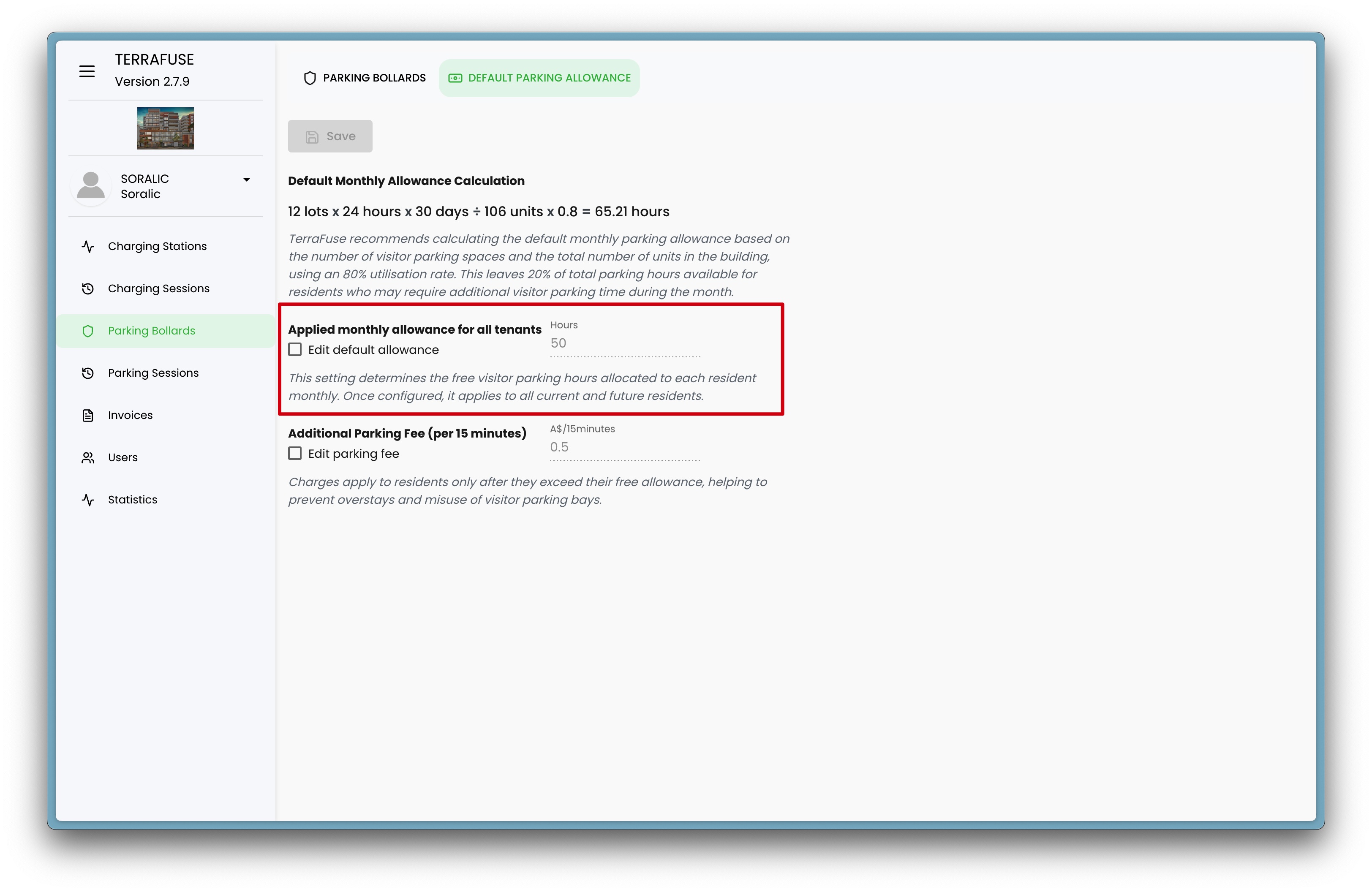
A checkbox is available to allow managers to override the default calculation and set a custom allowance that applies to all tenants (Figure 5.3.3).
Note
TerraFuse recommends calculating the default monthly parking allowance based on the number of visitor parking spaces and the total number of units in the building, using an 80% utilisation rate. This leaves 20% of total parking hours available for residents who may require additional visitor parking time during the month.
Extra Parking Fee
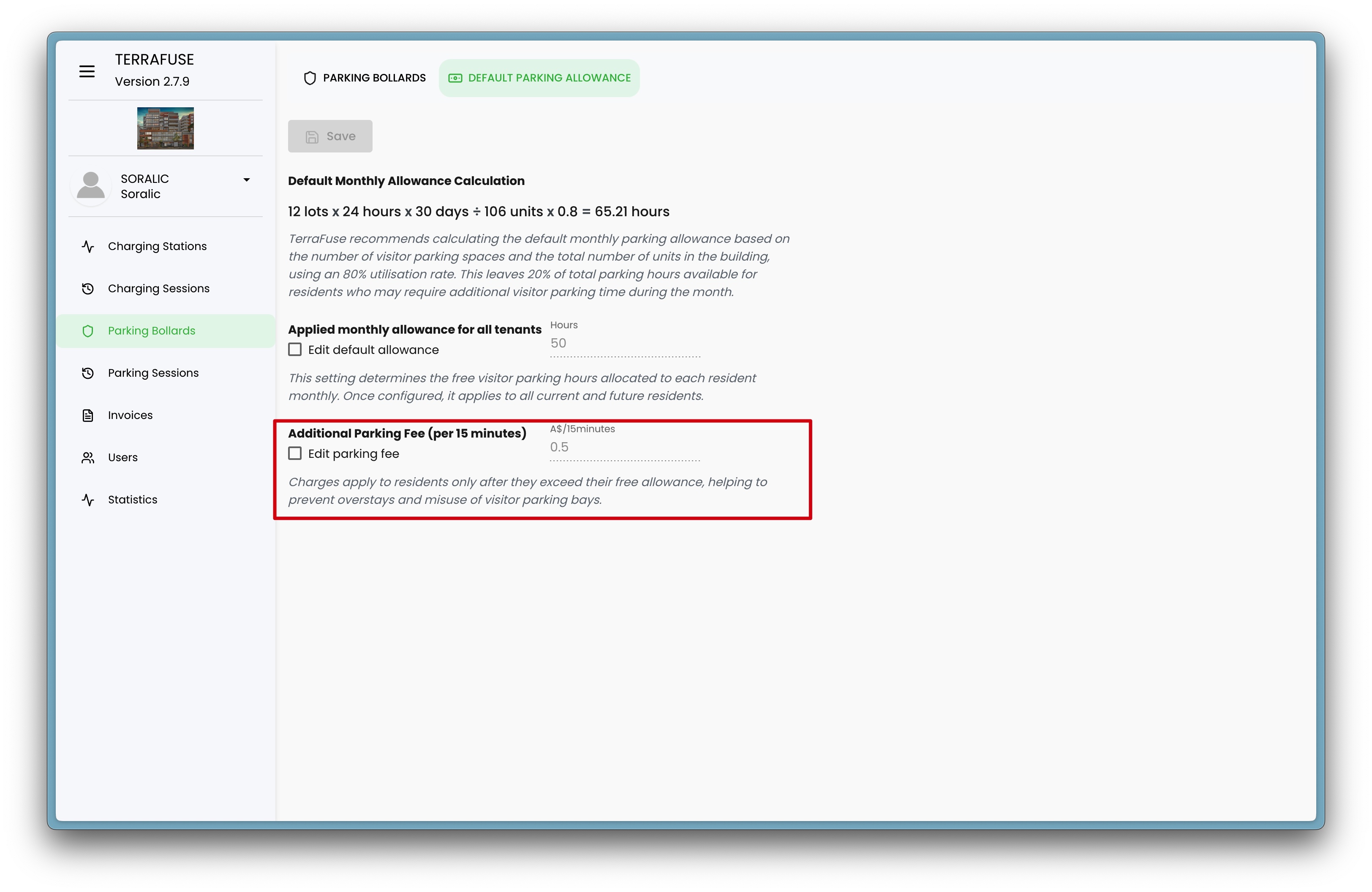
Managers can specify the extra parking fee that applies once the monthly allowance is exceeded—charged at a set interval, such as every 15 minutes (Figure 5.3.4).
- Custom Fee: Set the amount for every 15 minutes for additional parking beyond the included allowance.
Note
Charges apply to residents only after they exceed their free allowance, helping to prevent overstays and misuse of visitor parking bays.