
Appearance
Charge Now
The Charge Now option in the TerraFuse App lets you start charging your electric vehicle (EV) instantly.
Step 1: Open the Charging Page
Once you’ve registered and set up your account in the app:
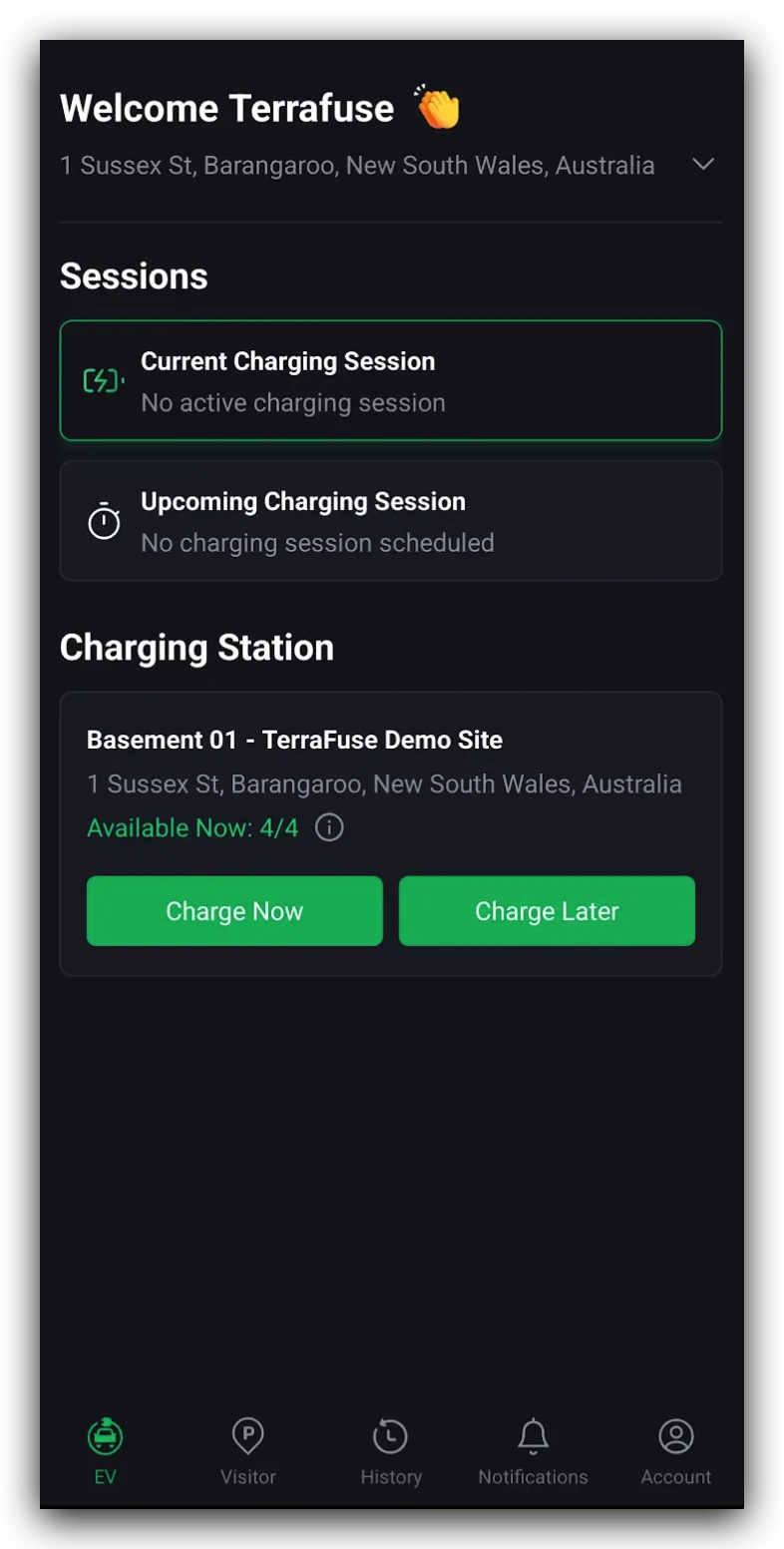
- Tap "Home" from the main menu. It will appear as Figure 1.3.1.
- At the top of the page, you’ll see your current location. Tap the small arrow (▼) to view the full address.
On this page, you’ll see:
- Sessions section – Shows your current charging session (if one is running) and any upcoming bookings.
- Charging stations section – Displays how many charging connectors are available.
TIP
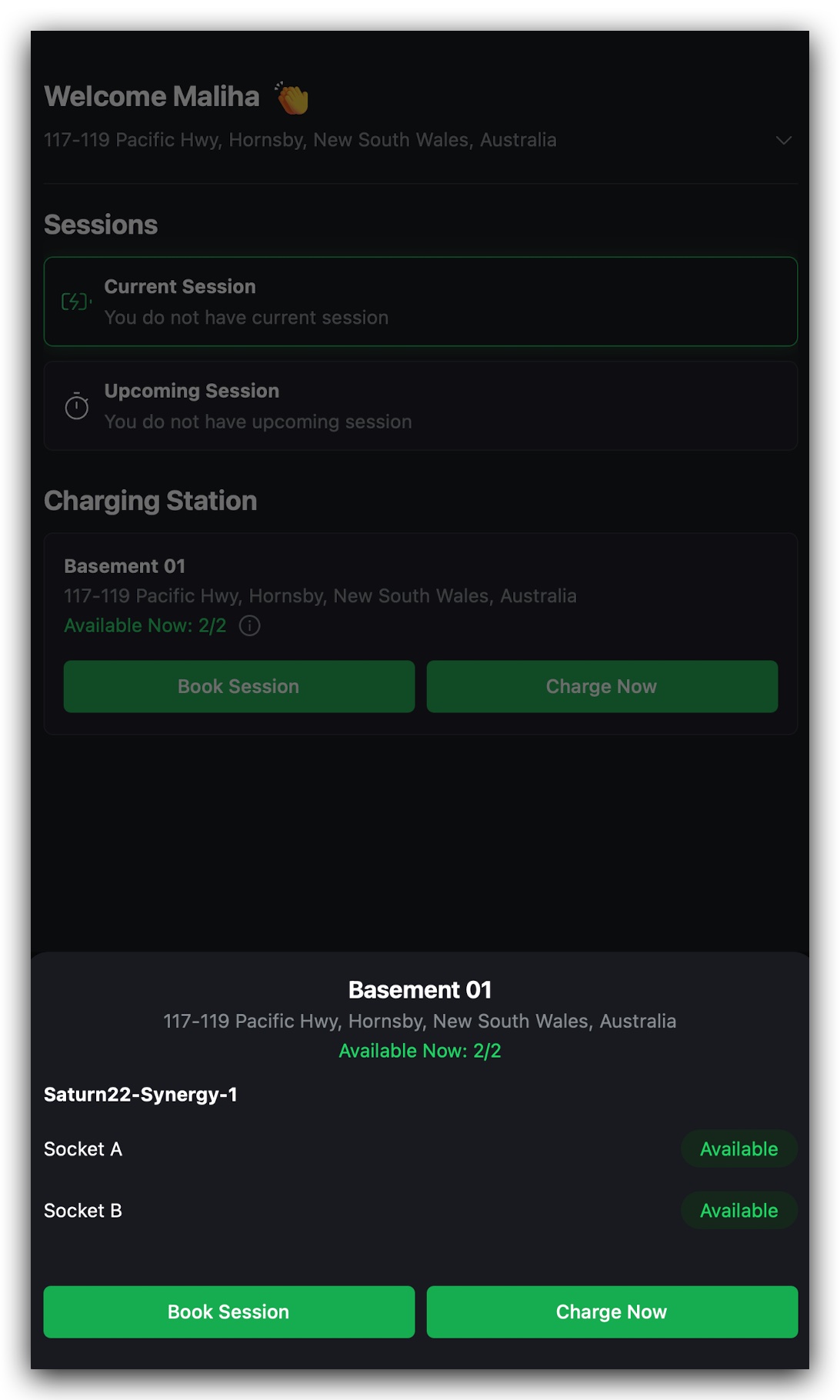
Tap the small “i” icon to see exactly which connectors are free and which are in use, shown in Figure 1.3.2.
Step 2: Select Charge Now
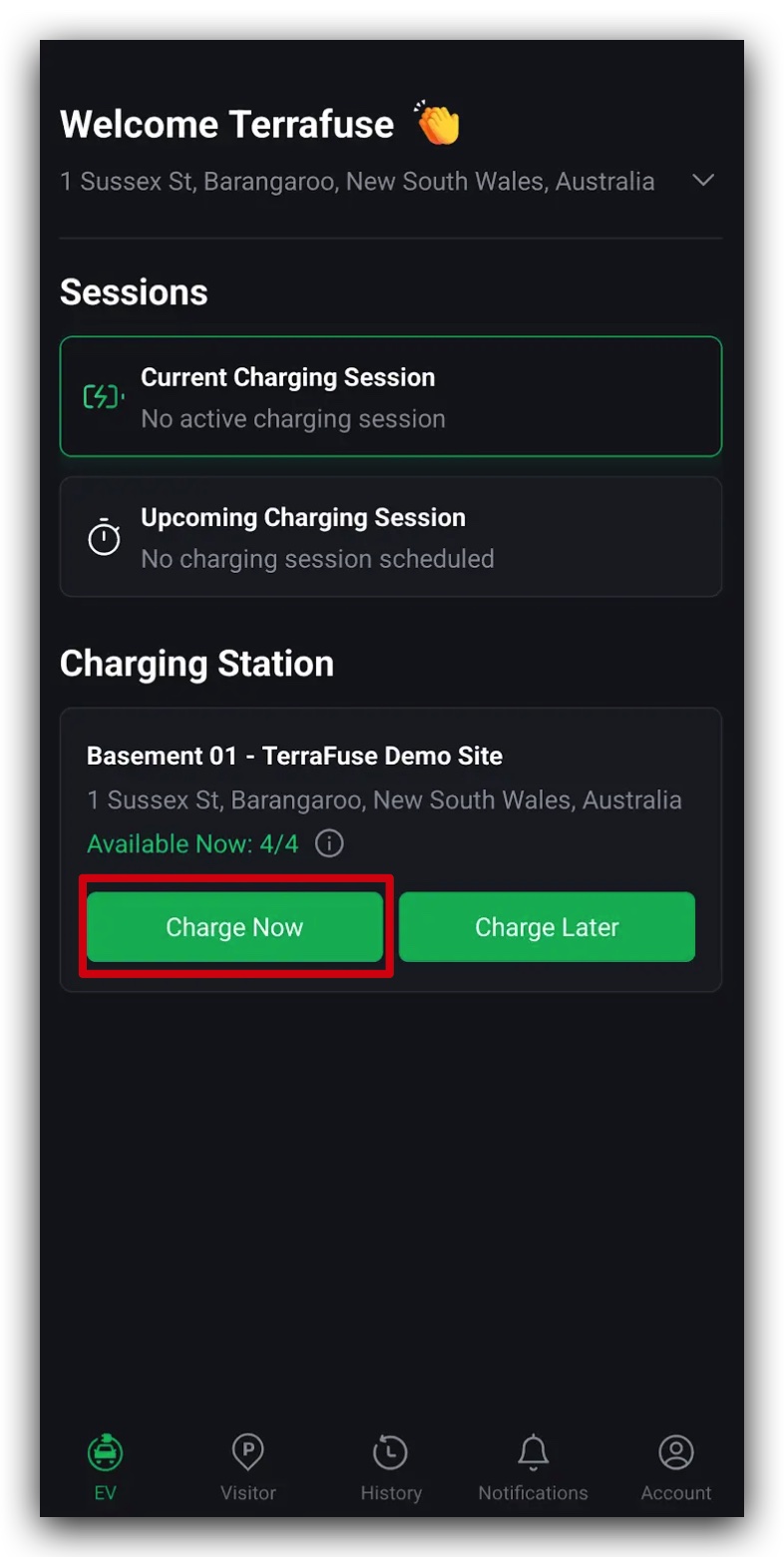
Tap "Charge Now" to begin your session immediately.
A short form will appear asking for the following details, as shown in Figure 1.3.4:
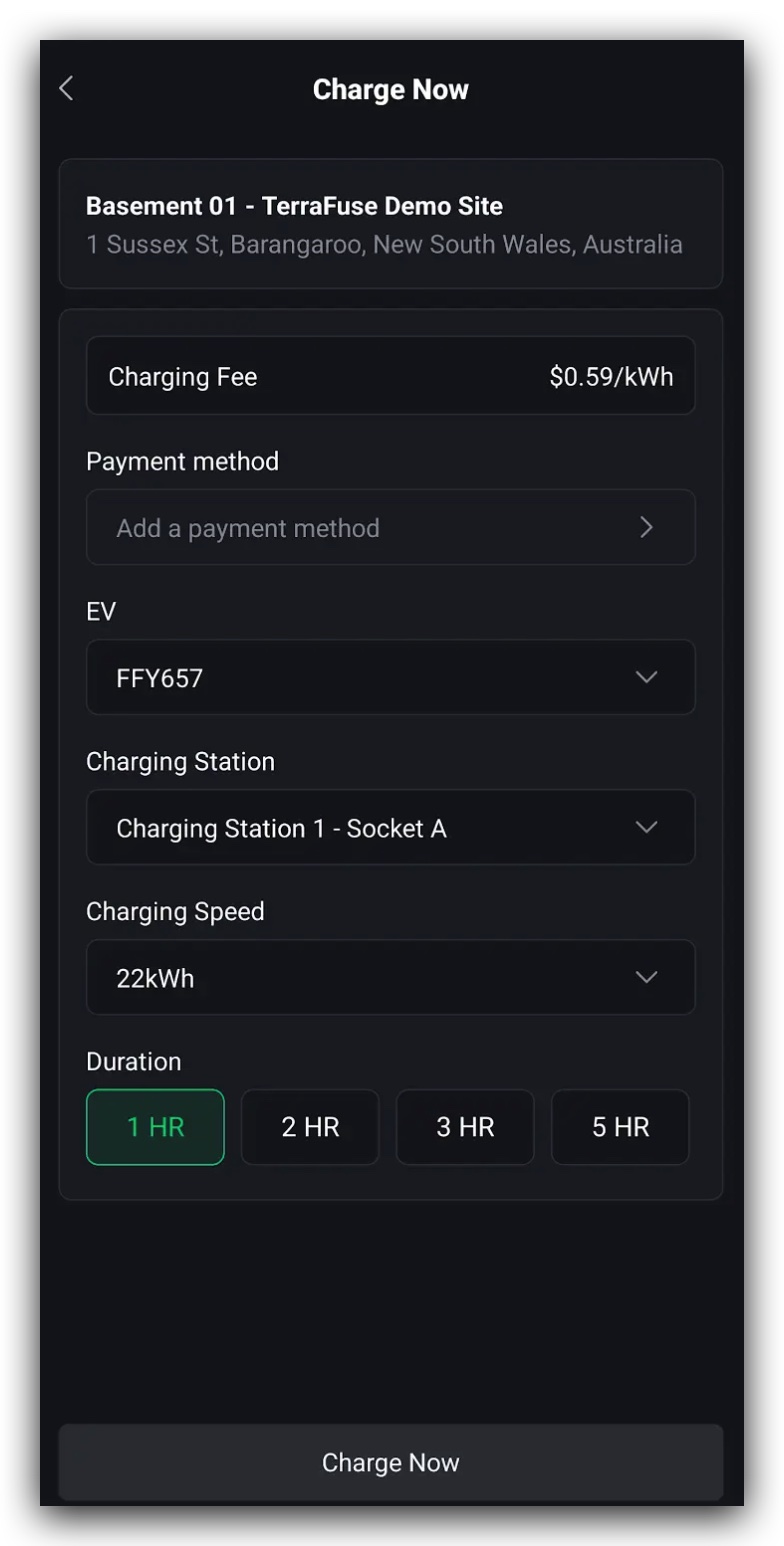
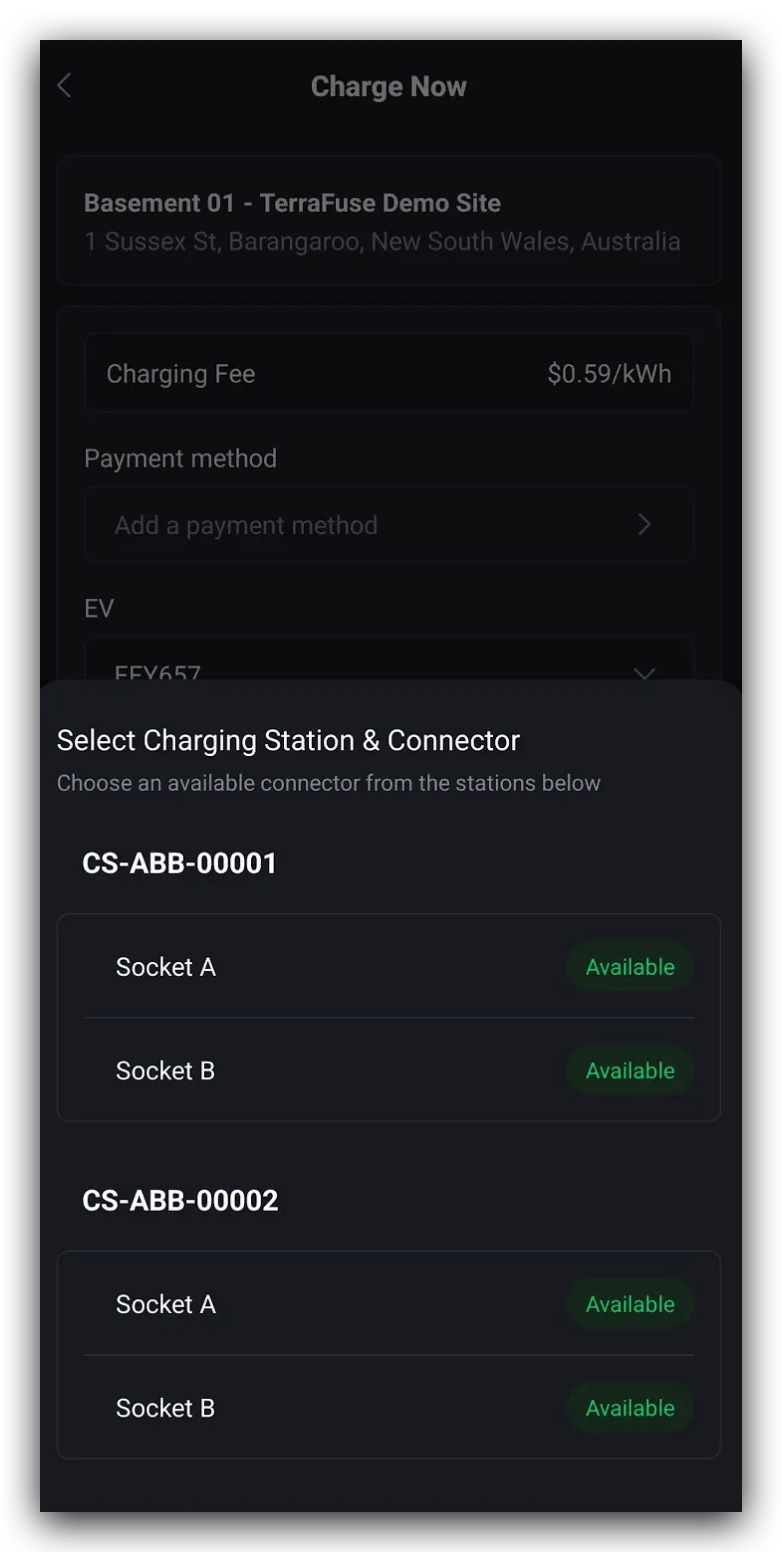
- Payment Method – Your default payment option will be selected automatically, but you can change it if needed.
- Your EV – Select your vehicle from the list.
If you haven’t added a vehicle yet, tap "Add EV" and enter your car’s make and model. - Charging Station – Click on the charging station field, and a selection of sockets will come up as shown in Figure 1.3.5. Choose the charging socket you prefer.
- Charging Speed – Choose the charging speed you prefer.
- Duration – Choose how long you want to charge (1–5 hours).
Step 3: Confirm and Start Charging
Once you’ve completed the form, tap "Confirm".
Your charging session will start right away.
You can monitor your charging progress in real time by going to the Monitor Charging page in the app.
Important
No matter the total session duration, you’ll only be billed for the exact amount of energy (kWh) your vehicle consumes.
The cost calculation starts only when your EV is connected and charging.